


Haha Broken, Broken Screen
4.444.00 Reviews
App Specs
- Version
- 1.4.3
- Updated On
- License
- Free
- Downloads
- 10,000,000+
- Developer
- Smart Technology Labs
- Categories
- Personalization
- Platform
- Android
Screenshots
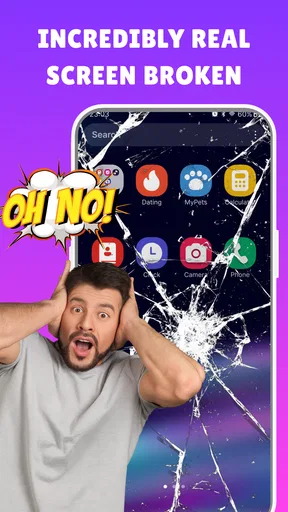
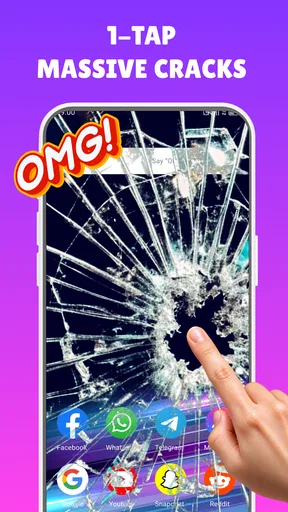
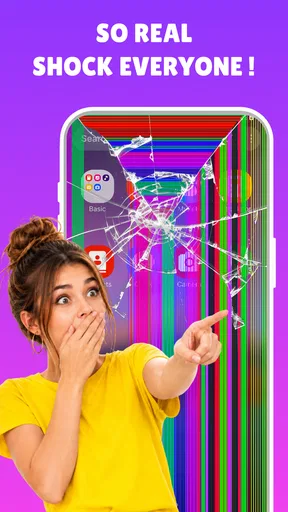
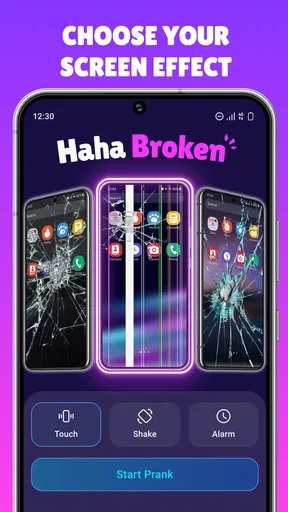
 Analysis by AppCompare
I think the key to using a pretend broken-screen effect well is choosing the moment, the audience, and the reveal—not just turning it on and hoping for a reaction. A friend who knows your sense of humor may laugh; someone who relies on their phone for work or an urgent call could be genuinely stressed. I’d treat Haha Broken - Broken Screen as a quick visual gag, with a clear exit plan and a reveal before the joke starts to feel real.
Start with the right person and setting
This is a personalization app built around changing what appears on a phone screen, rather than a tool for repairing or diagnosing a device. That distinction matters: the effect is for entertainment, and the phone itself is not being damaged. I’d use it only with someone who is likely to enjoy a harmless prank, and somewhere they can safely pause and check what happened.
A casual visit with a sibling or close friend is a better fit than a busy commute, a workplace handoff, or a moment when someone is waiting for an important message. The practical test is simple: if the other person would be worried about paying for a repair or losing access to their phone, choose a different joke. The best outcome is a brief surprise followed by a shared laugh, not a scramble to find a repair shop.
Set up the joke before passing over the phone
The app’s basic appeal is that the effect is meant to look like a damaged display, and the published review describes several ways to trigger it, including touch, a timer, and shaking the device. I’d decide on the trigger before handing the phone over. A shake-based setup can make the moment feel spontaneous, while a timer is easier to plan around; a touch trigger may suit a more direct reveal. These options are useful only if they fit the scene, so I wouldn’t choose one without thinking about how the other person will hold or move the phone.
Before the handoff, I’d also check that the phone is in a comfortable, familiar state and that the other person will not need to use it for something important. If the screen is passed over while they are trying to navigate, make a call, or read a message, the prank can interrupt a real task and become annoying. A short setup conversation or an ordinary shared moment gives you a natural opening without turning the phone into a prop at the wrong time.
Make the reveal part of the plan
A believable effect works best when the person has a quick way to understand what they are seeing. I’d keep the joke brief, watch their reaction, and explain it as soon as they seem upset rather than waiting for a bigger response. That matters more than choosing the most dramatic crack design or sound. A prank that relies on someone’s genuine fear of an expensive repair is not a good trade for a few seconds of surprise.
There is also a useful boundary for recording: don’t film someone’s reaction or share it without their permission. The app can create a private joke between people, but a clip posted elsewhere changes the stakes for the person being pranked. If the other person is uncomfortable, stop the effect and let them inspect the phone. A quick, respectful reveal protects the friendship and keeps the app’s purpose in perspective.
Worth Reading Before You Choose

Flipboard Shows What News Apps Must Do Beyond the Feed

Switching to Android Auto Means Rethinking Your Driving Routine

Google Calendar Makes a Crowded Week Easier to Manage

Ludo King Makes the Most of the Minutes Between Plans

Baby Panda World Brings Quick Play to Modern Phones, but Its Game Library Feels Busy

ESPN’s Live Game View Makes Following Close Games Easier
From Setup to a Shared Laugh
I use this section to connect the setup with the moment the phone changes hands: the joke works best when I have already chosen a considerate time and know how I’ll end it. A quick rehearsal of the trigger can prevent awkward fumbling, while watching the other person’s face helps me decide whether to reveal the trick immediately. That practical handoff is what turns a startling effect into a shared laugh.
First Impressions
So, I downloaded Haha Broken - Broken Screen out of sheer curiosity. The app’s logo and interface are pretty straightforward, which I appreciate. There's nothing worse than a cluttered app when all you want to do is have a little fun. After a quick setup, I was ready to roll.
How It Works
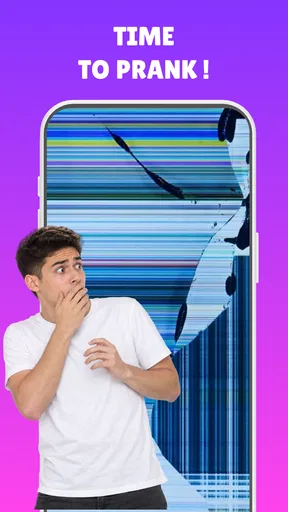
The app simulates a cracked screen effect, and it does it really well. Once you activate the prank, the screen appears shattered, complete with realistic sound effects that make it all the more believable. You can set it to activate by touch, timer, or even by shaking your phone. Personally, I prefer the shake option; it's just too funny watching someone’s reaction when they think they’ve caused the damage themselves.
Features That Stand Out
One of the best things about this app is the variety of screen crack designs. You’re not stuck with just one boring crack; there are multiple options to choose from. The sound effects are another highlight. They’re loud and clear, adding an extra layer of authenticity to your prank.
Another feature that I found super handy was the ability to customize the crack effect duration. Whether you want a quick scare or a prolonged prank, you can adjust it to your liking. Plus, the app runs smoothly without any noticeable lag, which is a huge plus.
User Experience
Now, let’s talk about the user experience. The app is incredibly easy to use. Even if you’re not tech-savvy, you’ll have no trouble navigating through the options. The design is clean, and every feature is just a tap away.
The app is also light on resources. I didn't experience any battery drain or performance issues on my phone, which is crucial because who wants a prank that ends up being a buzzkill for your device?
Choosing the right kind of laugh
Compared with typical wallpaper and theme tools in the personalization category, this app has a much narrower purpose: it changes the look of a screen for a gag rather than helping you build a daily visual style. That focus makes it quicker to understand, but also means it is not the right pick if you want icon packs, a lasting home-screen makeover, or practical display controls. I’d think of it as a novelty effect to use occasionally, not something that needs to stay part of my regular phone setup.
It should suit people who enjoy light, in-person jokes and want a visual effect they can set up without much fuss. I would skip it if you dislike jump scares, share a device with someone who may mistake the effect for real damage, or need a dependable tool for customizing your phone day to day. It is also a poor fit for pranking a stranger: without knowing their sense of humor, you cannot tell whether the surprise will feel funny or upsetting.
A realistic handoff, without the panic
Imagine a relaxed afternoon with a friend who has already joked about being clumsy with phones. I’d choose a crack style, set a short-lived effect, and make sure there is no urgent reason for them to use the device. Then I’d hand it over during a natural pause rather than interrupting a call or asking them to troubleshoot something. If they laugh, the joke has landed; if they look concerned, I’d reveal it immediately and let them see that their phone is fine.
That sequence is more considerate than trying to extend the deception. The person’s first reaction is the whole point, so stretching the moment rarely adds much. It also makes the app easier to use in a group: one person can set up the effect, another can be in on the joke, and the person holding the phone can be told promptly. If there is any doubt about whether the joke is welcome, I’d ask first or choose a different way to make everyone laugh.
What to expect from a free novelty app
The app is free, and the published review notes that ads may appear. That is a reasonable trade-off for something I’d open for a short prank rather than use for hours, though an ad at the wrong moment could interrupt the setup or spoil the timing. I’d open it and get familiar with the controls before the other person is involved, instead of trying to configure everything while they wait. The earlier review also mentions an option to remove ads for a fee; I would check the current in-app terms before deciding whether that is worthwhile.
Its developer is Easy Technology Global, and the app has an average rating of 4.5 from around 17,000 ratings, with over 5 million installs. Those figures suggest it has found an audience, but they do not tell me whether a particular friend will enjoy being fooled. The content rating is Teen, so I would still use ordinary judgment about the person and setting rather than assuming every prank is appropriate for everyone.
Where the experience can fall short
The same realism that makes the effect funny can also make it uncomfortable. Someone with a cracked phone already, a tight repair budget, or a strong worry about accidental damage may not find the joke amusing. Sound can make the moment more convincing, but it can also draw attention in a quiet room or disturb people nearby. I’d keep the setting and volume in mind, and avoid using the effect where a sudden noise could be disruptive.
There is a practical limitation too: the prank depends on timing and a willing audience, not on the app alone. If the effect appears while the phone is being used for an important task, it creates friction instead of fun. And if the person immediately recognizes the gag, the surprise may be brief; that is not a reason to pressure them or keep escalating it. The right measure of success is whether everyone is comfortable afterward, not how long the illusion lasts.
For a straightforward novelty, the current version is 1.3.1 and the stated minimum operating system is 7.0. I’d check that my device meets the requirement before planning a joke, then try the controls myself so I know how to stop or clear the effect. That small rehearsal is a useful safeguard: it prevents fumbling in front of the person and makes it easier to end the prank as soon as the moment has passed.
What I Loved
I’ve got to say, the joy of watching someone panic over a "broken" screen is priceless. The reactions are pure gold, and the app delivers on its promise of providing a good laugh. I also appreciate the level of detail in the visuals and sounds; it's clear that the developers put in a lot of effort to make the prank as realistic as possible.
The app is free, which is always a bonus, though there are ads. They’re not too intrusive, but it's something to keep in mind. If you really want to splurge, there’s an option to remove ads for a small fee.
Final Thoughts
If you’re looking to spice up your day with a harmless prank, Haha Broken - Broken Screen is worth checking out. It’s simple, effective, and guaranteed to get a laugh. Just remember, it’s all in good fun, so maybe avoid pranking anyone who might not appreciate the humor!
Overall, this app is a fantastic tool for anyone who enjoys a good joke. Download it, give it a whirl, and get ready to see some priceless reactions.
Pros
- Realistic broken screen effects.
- Simple and user-friendly interface.
- Lightweight and fast performance.
- Customizable prank settings.
- Free download with no hidden costs.
Cons
- Limited prank variations.
- Contains in-app ads.
- No multiplayer prank options.
- Requires frequent updates.
- Limited compatibility with older devices.
FAQs for Haha Broken, Broken Screen
What is Haha Broken - Broken Screen, and how does it work?
Haha Broken - Broken Screen is a prank app designed to simulate a cracked or broken phone screen. Upon activation, it displays realistic broken screen graphics and sound effects, creating the illusion that your device is damaged. It's purely for entertainment and doesn’t actually harm your phone.
Is Haha Broken - Broken Screen safe to use on my device?
Yes, Haha Broken - Broken Screen is safe to use. It doesn’t modify your device's hardware or software. The app only overlays images and sounds to simulate a broken screen. Ensure you download it from a reputable source to avoid any malware risks.
Does Haha Broken - Broken Screen affect my device’s performance?
The app is lightweight and designed to have minimal impact on your device’s performance. It runs temporarily and doesn't consume significant resources. However, as with any app, excessive use might slightly affect battery life due to the sound and graphics.
Can I customize the broken screen images in Haha Broken - Broken Screen?
Yes, Haha Broken - Broken Screen offers several customization options. Users can choose from a variety of different broken screen patterns and sound effects to enhance the prank’s realism. This flexibility allows for a more personalized prank experience.
Is Haha Broken - Broken Screen free, or are there in-app purchases?
Haha Broken - Broken Screen is free to download and use. However, it may offer in-app purchases or ads to unlock additional features or remove advertisements. Check the app store listing for specific details on pricing and available upgrades.


